In this post, I share my hands-on experience using Amazon Q Developer on GitHub.com. I tested how Q can handle code generation, review, and transformation workflows directly within GitHub Issues and Pull Requests. The goal? Streamlining feature development in modern development teams.
Introduction
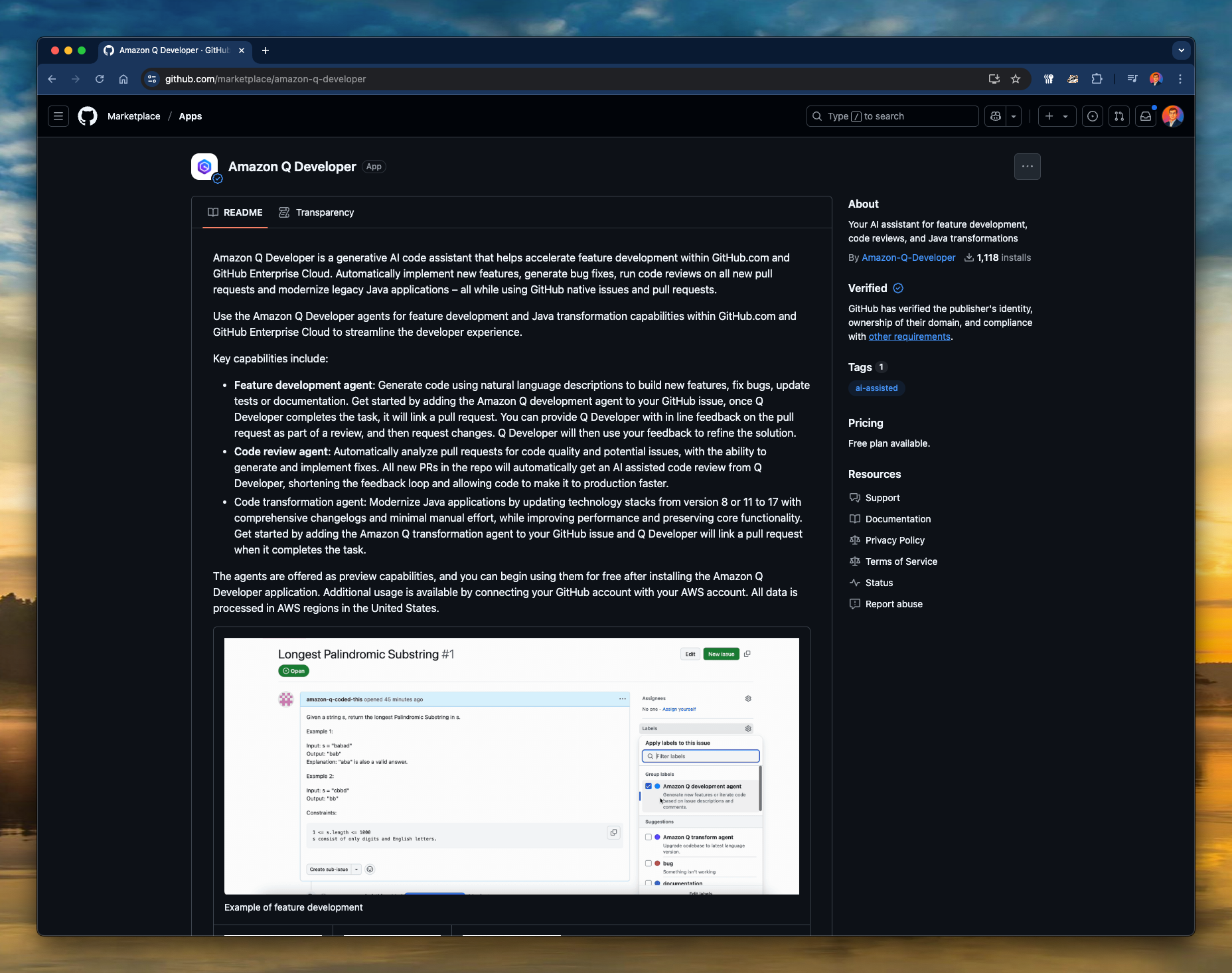
Amazon Q Developer is AWS’s generative AI assistant designed to accelerate software development within GitHub.com and GitHub Enterprise Cloud. It aims to automate several routine but critical tasks — like writing code, reviewing pull requests, or modernising legacy Java — without leaving your GitHub workflow.
After seeing it announced, I was curious: Can a tool like this meaningfully reduce developer toil and improve software quality, or is it just another “AI helper” with a fancy wrapper?
Key Benefits
From my tests, the Amazon Q Developer app offers three powerful use cases:
-
Feature Development Agent
Automatically generates merge-ready code based on GitHub issue descriptions. Think “prompt engineering” but for source code — it reads your issue, replies, then creates a PR. -
Code Review Agent
Analyses pull requests to flag code quality and security issues. It provides inline comments with severity levels and suggestions. You can accept the changes, refine them, or request a code fix. -
Java Code Transformation Agent
This one’s more niche — it helps upgrade Java applications from Java 8 or 11 to 17, keeping compatibility in mind with minimal effort.
How it works: A walkthrough
Here’s the flow I tested:
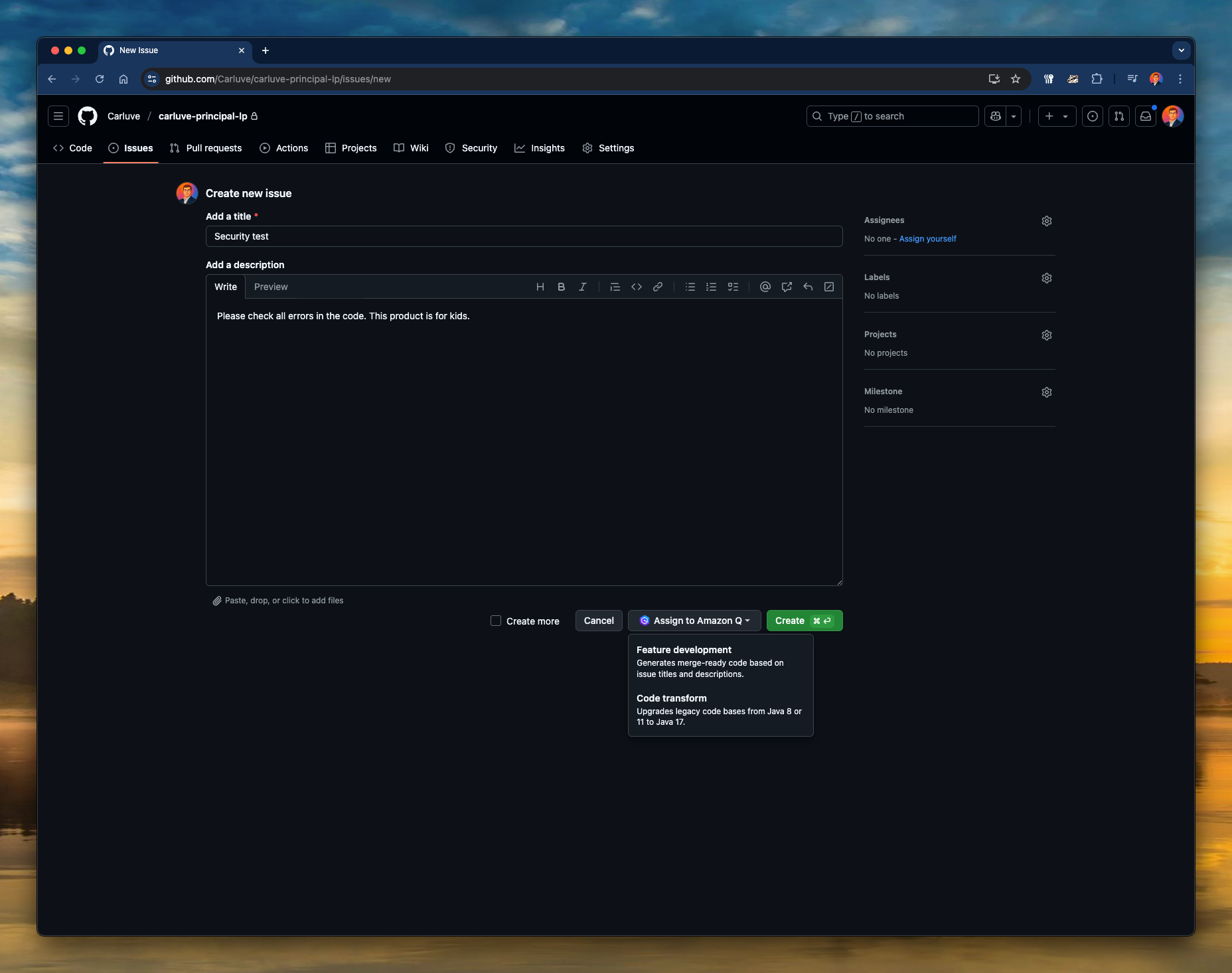
Step 1: Create a GitHub Issue
I created a new issue on GitHub with the title “Security test” and the description:
“Please check all errors in the code. This product is for kids.”
📸 GitHub issue being created and assigned to Amazon Q
Step 2: Assign the Issue to Amazon Q
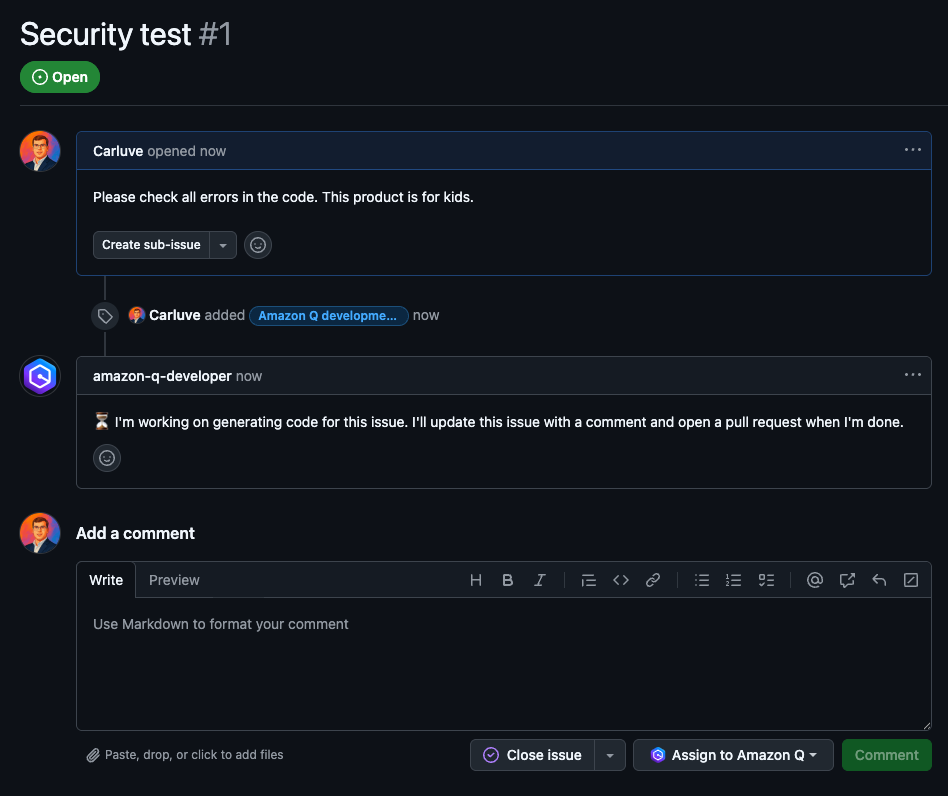
With one click on the “Assign to Amazon Q” button, the task is queued for processing. Q instantly comments to say it’s working on generating the code.
📸 Q Developer’s first response in the issue
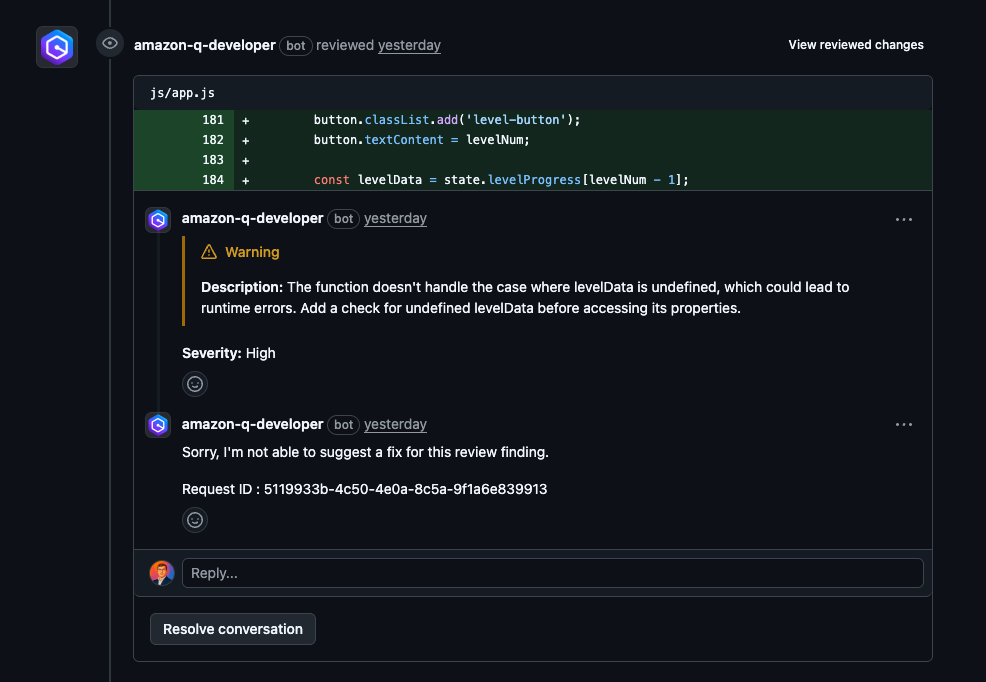
Step 3: Code Review Automation
Once a pull request is created, Q automatically runs a code review. It flags risky code patterns (like undefined access in JS), suggests improvements, and adds severity tags.
📸 Inline review with warning, severity level, and description
Step 4: Fix Suggestions & Pull Request Creation
After the review, Q posts final comments and creates a PR with structured commits. You can review, merge or request improvements as usual.
📸 Summary of the pull request and deployment success
Bonus: JSON Error Handling Fix
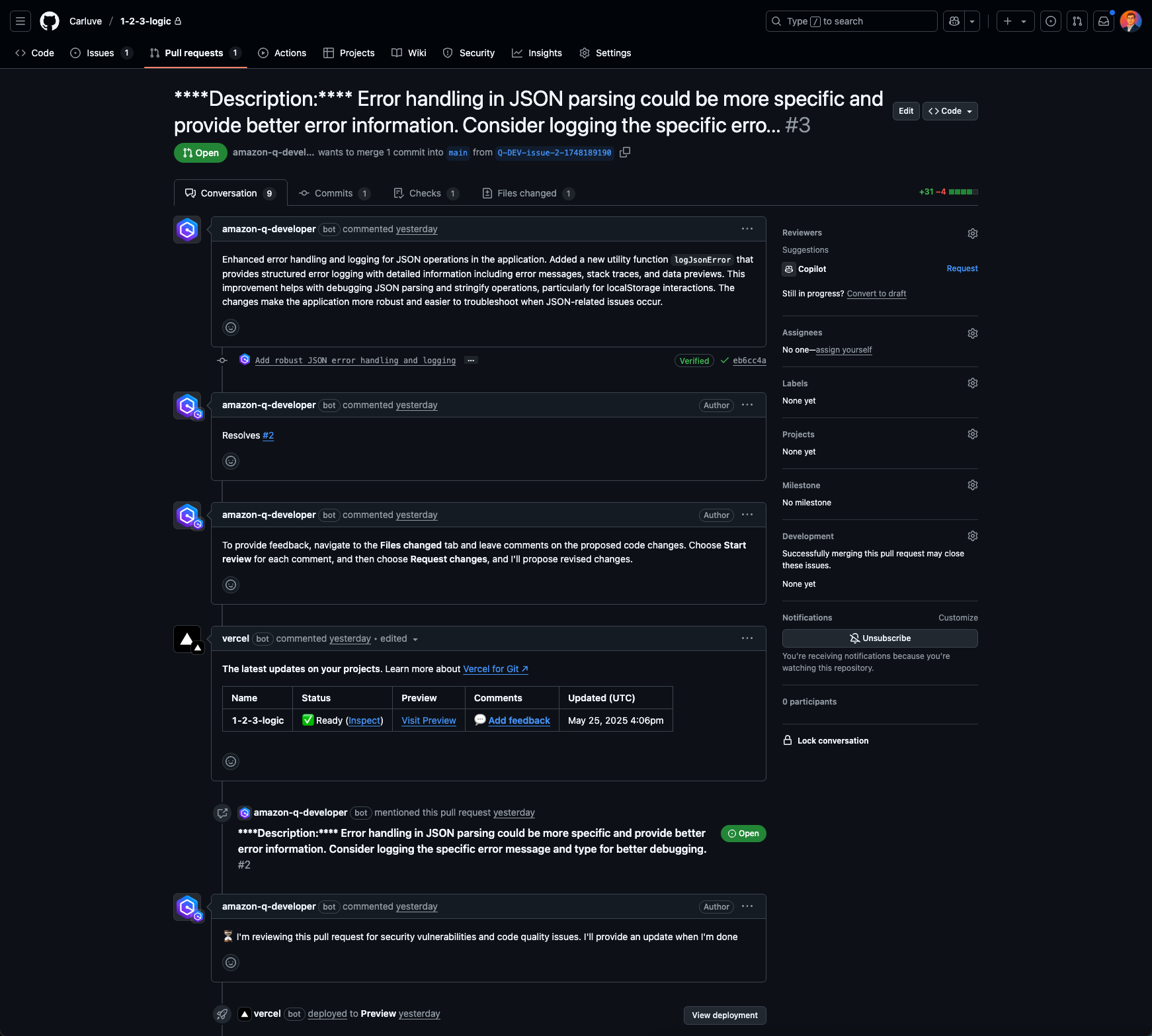
I tested how Q handles specific bugs. I logged a known issue in JSON parsing. Q created a custom utility for structured logging (logJsonError), documented its reasoning, and opened the PR.
📸 Full context of the JSON fix pull request
Conclusions
Amazon Q Developer exceeded my expectations in some areas and revealed limitations in others:
👍 What impressed me:
- Seamless GitHub integration (no context switching)
- Code reviews are genuinely helpful for catching risky patterns
- Auto-PR generation works well for cleanly defined tasks
- Security and severity tagging in code comments
👎 What could be improved:
- Fix suggestions are sometimes missing or vague
- Works best with clearly worded issues (prompting matters!)
- Currently focused mostly on Java and JS — limited tech stack support
Final thoughts
Amazon Q Developer is more than a toy — it’s a serious assistant for engineering teams. If you write clear, actionable GitHub issues, Q can become a productive AI pair programmer that lives where developers already work.
As AI development accelerates, tools like this will change the shape of software engineering. The promise isn’t to replace developers, but to supercharge them — and Amazon Q feels like a solid first step in that direction.